Nationwide Shipping via DSV, Courier-IT & The Courier Guy
Nationwide Shipping enabled by DSV, Courier-IT & The Courier Guy - All Orders are Processed Within 24 Hours! - Delivery Lead Time is within 2 to 5 Working Days - Delivery Cost From R99 - Exceptions May Apply Learn More
Toggle Nav



![VB018[V1] View 1](https://nicheliving.co.za/media/catalog/product/cache/36db1590c5d672dbe0b42dddc8345f25/V/B/VB018_V1__0.png)

Volkano Gemini Series Pair of True Wireless Bluetooth Speakers - Black
R 550.00
BUY NOW, PAY LATER

No Deposit. Only R 275.00 on your next two paycheques. Interest free. Learn More.
INSTRUCTIONS FOR USE: Turning On and OffTo turn on, press the Power Button. The speaker will play the start-up audio tone. To turn off, press the Power Button. The blue indicator light will blink repeatedly when the Gemini is powered on. PAIRING INSTRUCTIONS:Pairing speakers/ Daisy Chaining:- The Gemini speakers need to pair to each other before connecting to your Bluetooth device. Simply turn both speakers on allowing an automatic pairing. Once successfully paired, a short tone will play.1. Open the Bluetooth Menu on the device you wish to pair. Some devices require you to select ""Search...
Availability:
Out of stock
SKU
VK-3133-BK
Get your goods upfront and pay for
them over 3 interest free instalments
of R 183.33. Standard shipping terms
apply.
Find out how >>
them over 3 interest free instalments
of R 183.33. Standard shipping terms
apply.
Find out how >>

×



PayJustNow is a simple, easy-to-use payment system.
Here’s how it works:
PayJustNow allows you to pay for your purchase over 3 equal, zero interest instalments. You’ll pay one instalment at the time of purchase, the next at the beginning of the following month and the last one a month thereafter.
#zerointerest
Step 1:
Browse your favourite online stores and proceed to check-out.
Step 2:
Choose PayJustNow as your payment method.
Step 3:
Create your account as easily as if your eyes were shut (though we’d recommend you keep them open).
Step 4:
Complete your purchase and whoop for joy!
Here's what you'll need:
To be over 18 years old
A valid RSA ID document
A debit or credit card
An email address
INSTRUCTIONS FOR USE: Turning On and OffTo turn on, press the Power Button. The speaker will play the start-up audio tone. To turn off, press the Power Button. The blue indicator light will blink repeatedly when the Gemini is powered on. PAIRING INSTRUCTIONS:Pairing speakers/ Daisy Chaining:- The Gemini speakers need to pair to each other before connecting to your Bluetooth device. Simply turn both speakers on allowing an automatic pairing. Once successfully paired, a short tone will play.1. Open the Bluetooth Menu on the device you wish to pair. Some devices require you to select ""Search for Devices"" or ""Add new device"" in order to create a Bluetooth pairing.2. With the speaker turned off, press the Power Button. Navigate to Bluetooth Mode if the speaker is not already in Bluetooth Mode, the speaker will play a pairing voice prompt while awaiting Bluetooth connection.3. Wait until you see ""Gemini"" on your device screen.4. Select ""Gemini"" on your device and follow any further prompts to pair. Once pairing is complete, the speaker will play a short tone and will be ready to play audio via Bluetooth. The blue indicator light will blink at a slower rate when pairing is complete.CONNECTING WITH PAIRED DEVICESOnce tthe speaker is switched on, it will automatically connect with the last paired Bluetooth device that is on and within range. If the speaker does not connect automatically, open the Bluetooth Menu on your device and select ""Gemini"" from the Bluetooth device list.
Write Your Own Review

Complete Peace of Mind Shopping. Visit us at Trustpilot.com


Buy now and pay over 12 easy installments. Apply for Mobicred here
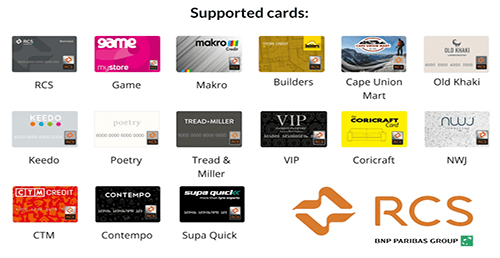
We support all Major Banks, Mobicred and RCS Store Cards via our Payfast Checkout


My Wish List
Last Added Items
You have no items in your wish list.